
стоит забрать
Отбираем лучшее: скидки, раздачи и неожиданные хиты.
Экономим время. Лутаем лучшее.
Скидки, раздачи и релизы игр
Во что поиграть вечером
StreamSpook
Everything you need for your stream, in one app. Set up chat overlays, text-to-speech, captions, stream effects, and more, add them to OBS in one click, catch problems while you're live, and review your stream afterwards.
- Разработчик
- Fortyworks
- Издатель
- Fortyworks
- Дата выхода
- 28.09.2026
- Платформы
- Windows
Последнее обновление
Об игре
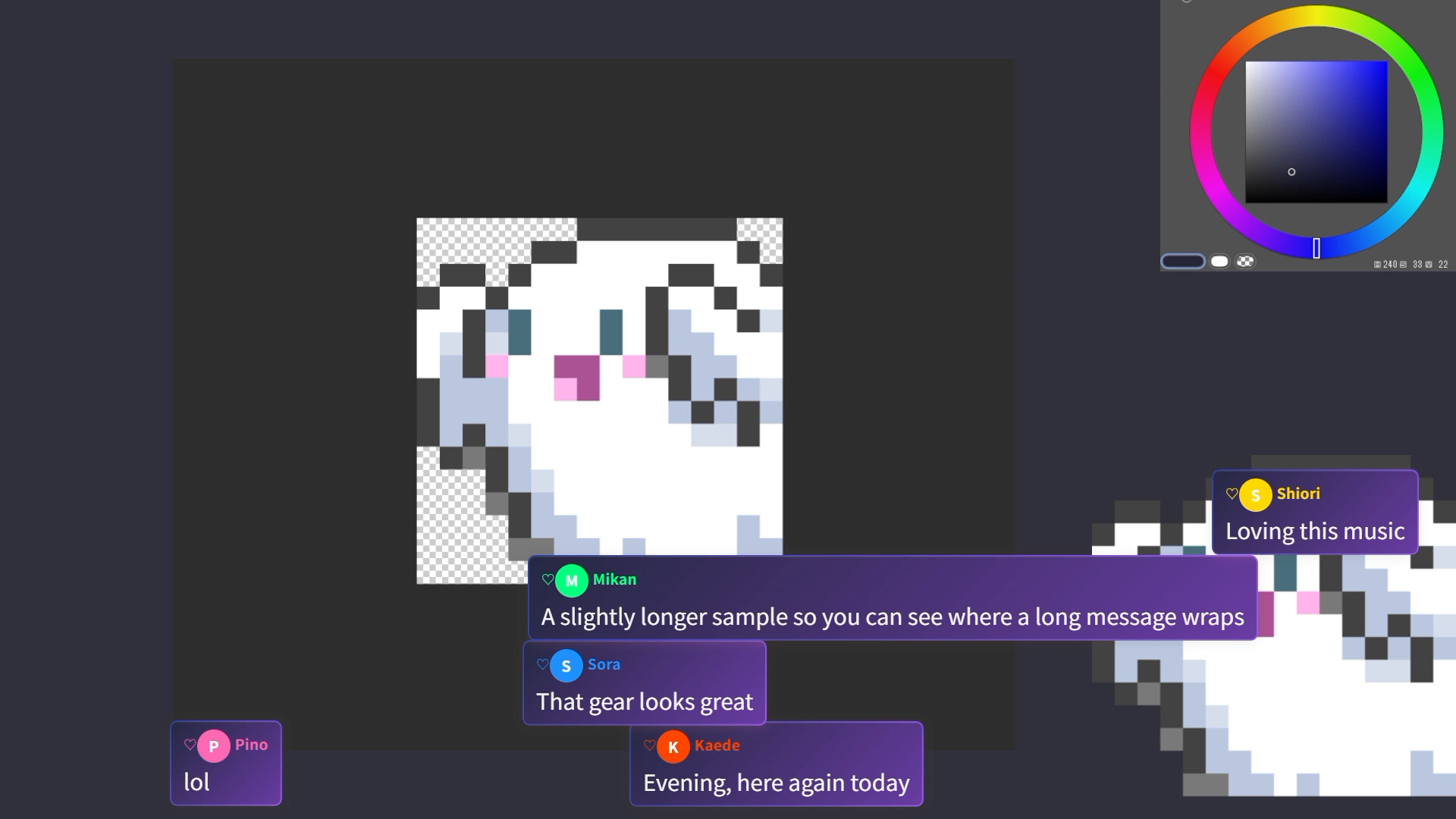
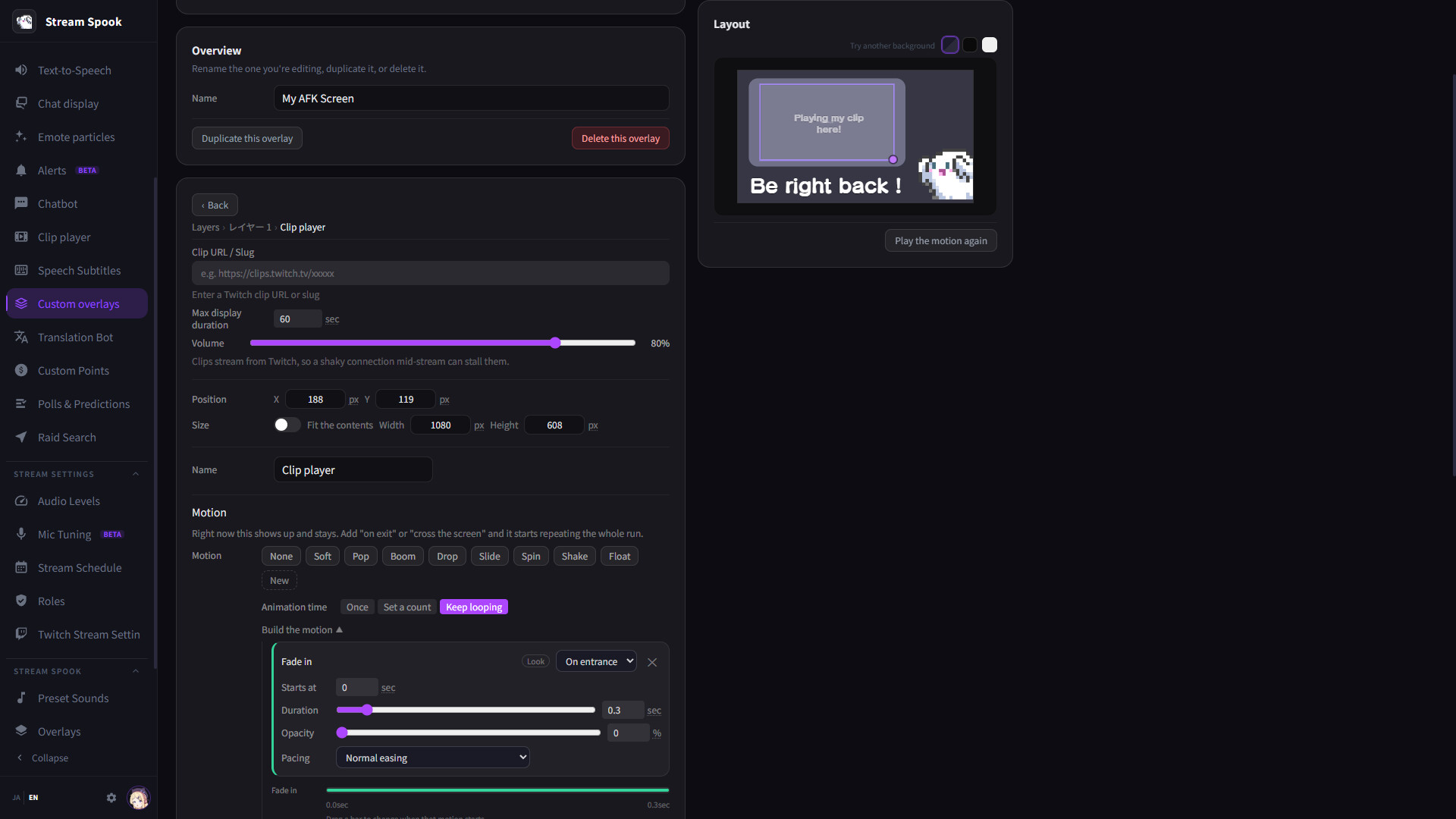
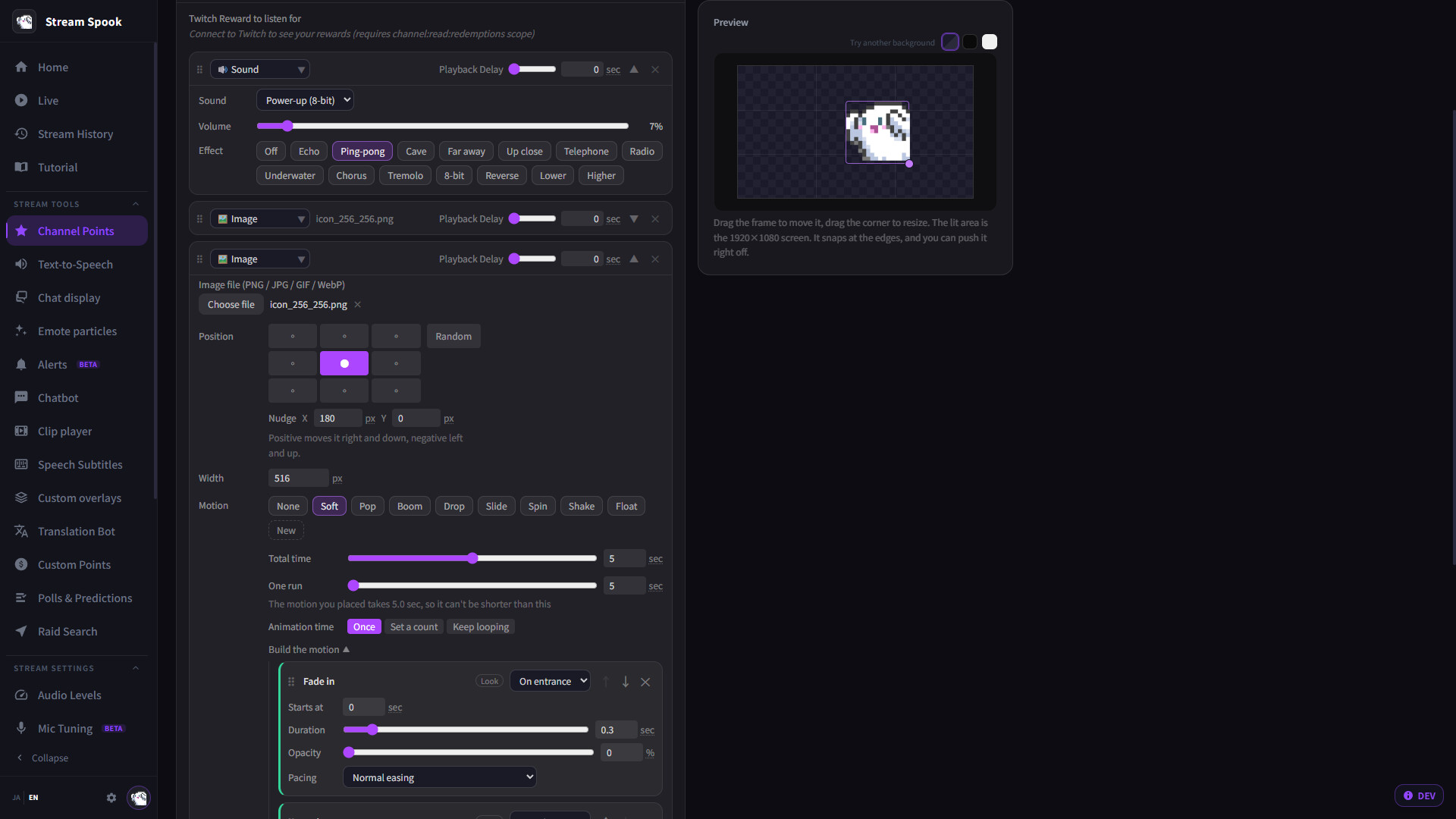
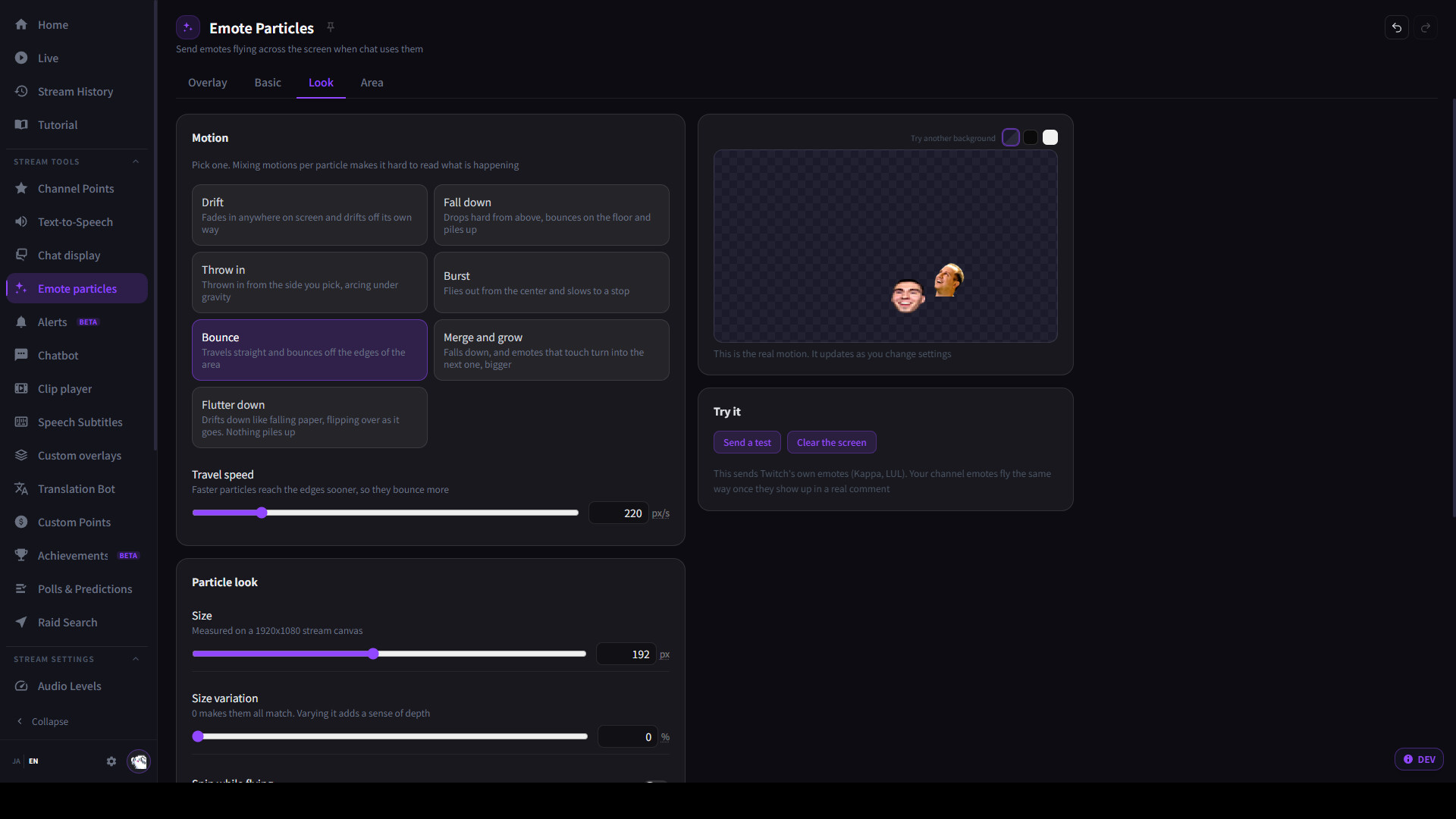
All the tools you open for streaming, in one place.Chat overlays, text-to-speech, alerts, Channel Point effects, captions and translation, replays, and stream analytics.StreamSpook brings your Twitch streaming tools together in one Windows app. It connects with OBS Studio to help you set up your stream visuals, manage tools while you're live, and review your streams afterward.A full set of tools for your streamChat overlays — 10 customizable designs, including classic chat, scrolling tickers, sticky notes, and comments that scroll across the screen.Chat text-to-speech — Read chat aloud with VOICEVOX, with configurable voices and reading rules.Alerts — Display notifications for follows, Bits, subscriptions, raids, and more.Channel Point effects — Play combinations of images, videos, and sound effects when viewers redeem rewards.Captions
Читать дальше
and translation — Display captions of your speech, with translation for captions and chat.Voice commands [Beta] — Say a registered phrase to trigger an effect.Clip playback and instant replay — Show clips or replay a moment that just happened.Custom overlays — Add text, clocks, counters, gauges, and more.OBS scene transitions and visual effects — Configure transitions and video filters.Audio mixer — Check and control volume levels and mute states in your streaming software.Stream history and analytics — Review viewer counts, chat activity, followers, raids, subscriptions, and more.Also includes emote effects, scheduled chat messages, polls and predictions, raid target selection, stream scheduling, and moderator and VIP management.More tools, less setup to keep track ofAdd your setup directly to OBS from StreamSpook with one click. StreamSpook handles as much of the streaming software setup as possible.If you use VOICEVOX, you can set its speech engine to launch automatically with StreamSpook. There’s no need to open the VOICEVOX editor before every stream.Once you've connected Twitch, you can use these tools without creating accounts for additional services or obtaining API keys.Stay focused while you're liveRegister a phrase and an effect, then let your voice trigger it. Play a sound with your catchphrase or show an effect when you react, without triggering it manually.Link captions to your OBS microphone’s mute state to prevent captions from continuing after you've muted your mic.Review your stream with the numbers and events togetherStream history lets you check viewer counts, chat activity, and events from your stream. It also records PC performance, so you can spot when your stream became unstable. Open the archive at a time you want to investigate and watch what happened.Analytics lets you explore trends by category and time of day, along with follower, raid, chat, and subscription data. Find moments when chat picked up, compare responses across categories, and gather ideas for your next stream or potential clips.Requirements and compatibilityStreamSpook is a one-time purchase for Windows, built primarily for Twitch streaming with OBS Studio.Streamlabs Desktop support is available in beta. Some features, including scene transitions and visual effects, are not supported.VOICEVOX text-to-speech requires a separate installation. Follow the applicable voice and character terms of use, including any required attribution.Depending on your chosen captioning and translation method, you may need to set up a browser or download language models, and an internet connection may be required. Twitch features are subject to your account’s eligibility and permissions. Instant replay requires replay buffer setup in your streaming software; setup assistance is included.
Скриншоты

Отзывы в Steam
Проверено 16.10.2026 10:39 UTC. Данные давно не обновлялись.
Слишком мало свежих отзывов для вывода о тенденции.
※本レビューは、テスターとして製品をご提供いただき、実際に使用した上で書いています。 普段から配信をしていますが、配信を続けていると「これができるツール」「あれができるツール」と少しずつ外部ツールが増えていき、気づけば配信を始めるだけでも色々なものを起動・管理する必要が出てきます。 『StreamSpook』は、そうした配信に必要な機能をひとつにまとめて使えるのが一番便利だと感じました。 コメント表示や読み上げ、字幕・翻訳などの普段使いやすい機能だけでなく、クリップ再生やオーバーレイといった配信中の演出、さらに音量チェックやPCのパフォーマンス確認、配信データの分析まで入っています。 個人的に特に面白いと思ったのは、配信のアーカイブから縦型の切り抜き動画を作れる機能です。 配信をしていると、アーカイブからショート動画などに使える部分を切り抜きたいことも多いので、それをこのアプリ内で作れるのはかなり便利だと感じました。 配信をするだけでなく、その後の動画作りまでサポートしてくれるのは嬉しい機能だと思います。 機能数が多いため、最初に画面を開いた時は「何から触ろう?」とはなりましたが、チュートリアルが用意されているので、必要な機能から一つずつ設定していけば問題なく使えました。 何より、「これをやりたいなら別のツールを探して導入する」という作業が減るのがありがたいです。 配信初心者の方はもちろん、すでに色々なツールを組み合わせて配信していて、環境をもう少しシンプルにしたい人にも向いていると思います。 まだこれから追加・改善されていく機能もあるようなので、今後どこまで一つのアプリで完結できるようになるのか楽しみです。
Отзыв · рекомендует
Системные требования
Windows
Минимальные
- 64-разрядные процессор и операционная система
- ОС
- Windows 10/11
- Оперативная память
- 16 GB ОЗУ
- Место на диске
- 1 GB
Рекомендуемые
- 64-разрядные процессор и операционная система
- ОС
- Windows 11
- Оперативная память
- 32 GB ОЗУ
- Место на диске
- 1 GB
Значимые обновления
Динамика цены и онлайна
Ваша библиотека в Looted
Собирайте список игр, отмечайте, во что играете, и следите за скидками. После входа можно импортировать библиотеку Steam.