
Игры, которые
стоит забрать
Отбираем лучшее: скидки, раздачи и неожиданные хиты.
Экономим время. Лутаем лучшее.
Во что поиграть вечером
Ещё стоит залутать
Simple GIF Maker — MP4, MOV, MKV, AVI to GIF & Animated WEBP
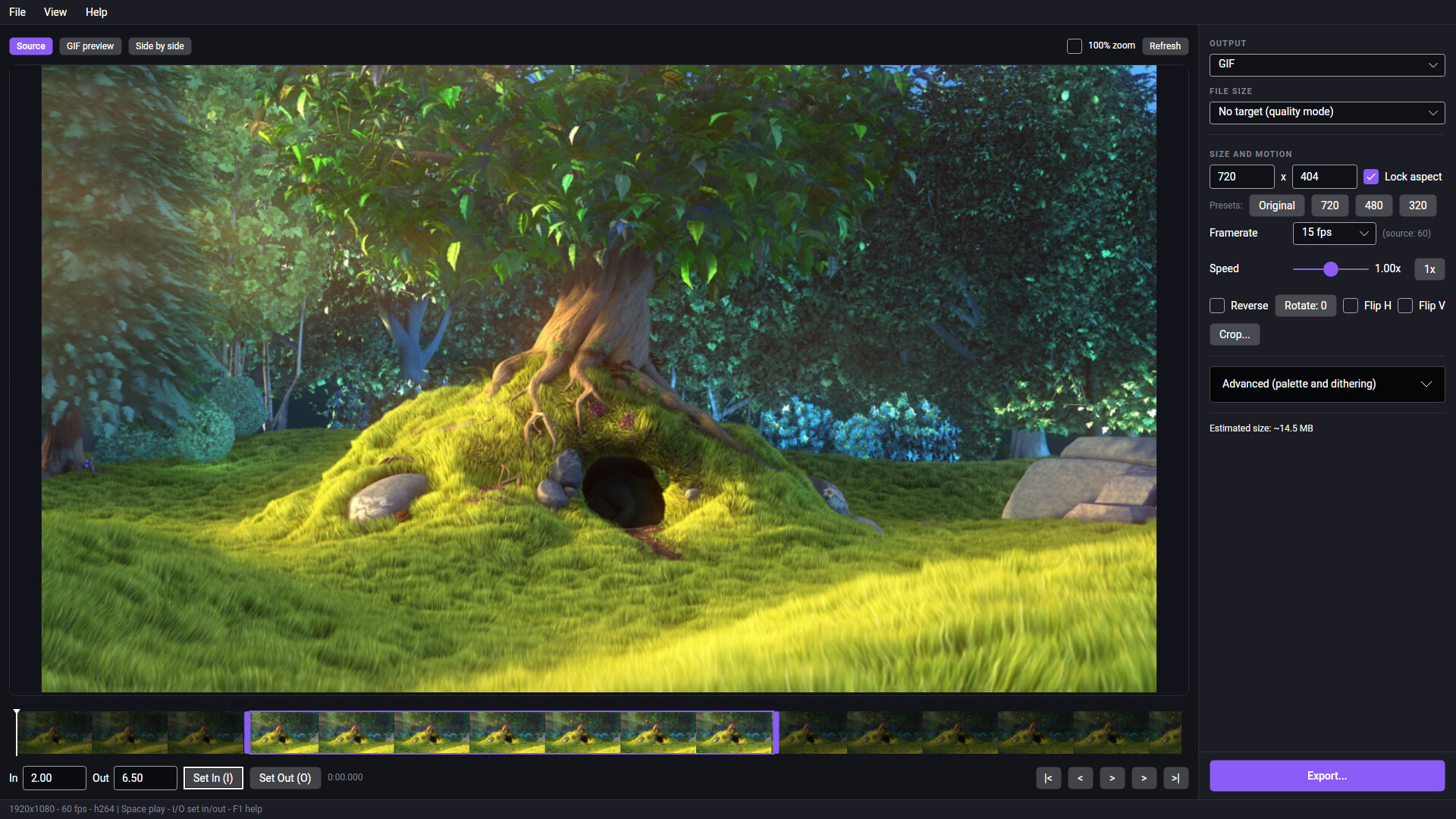
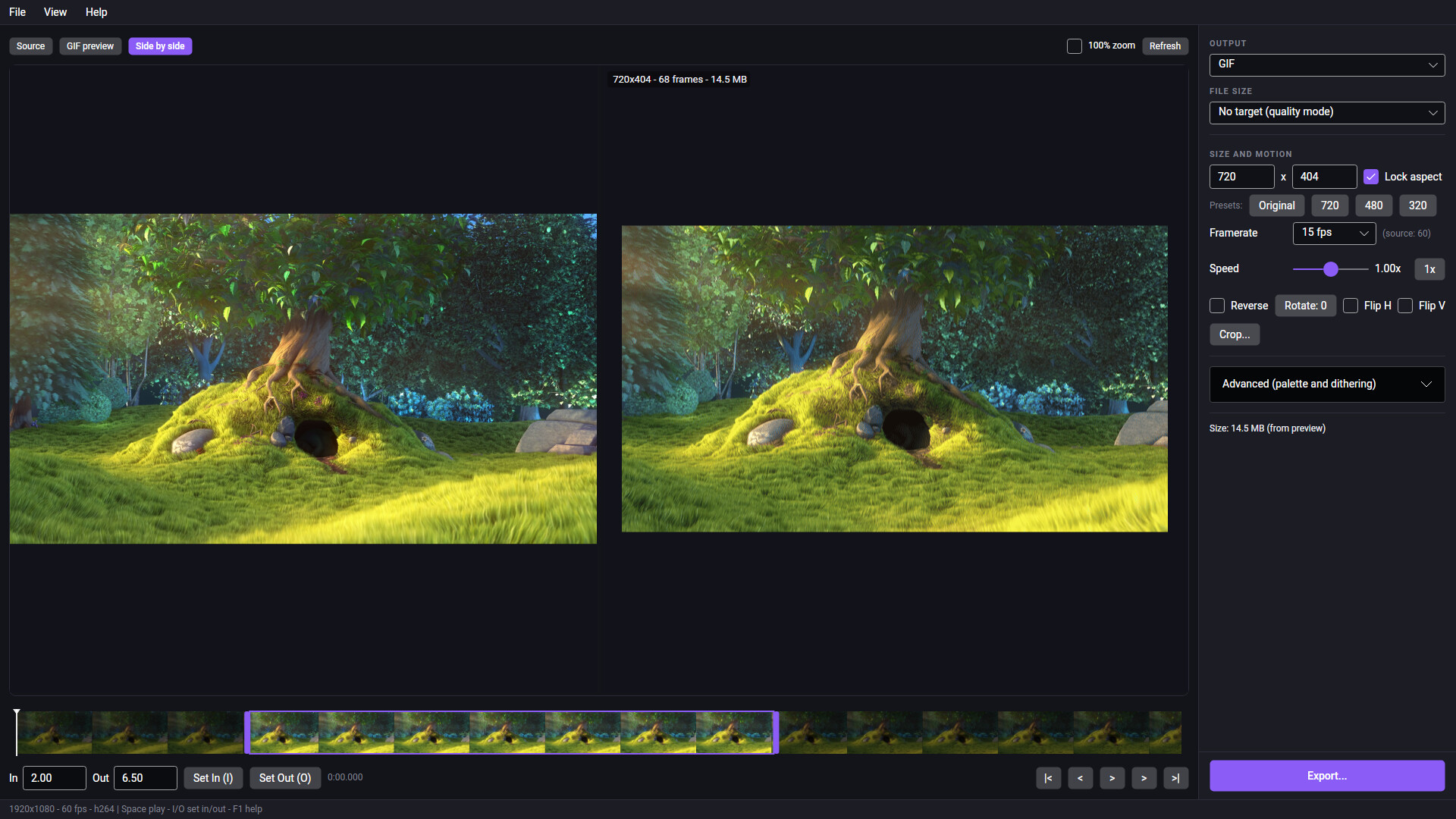
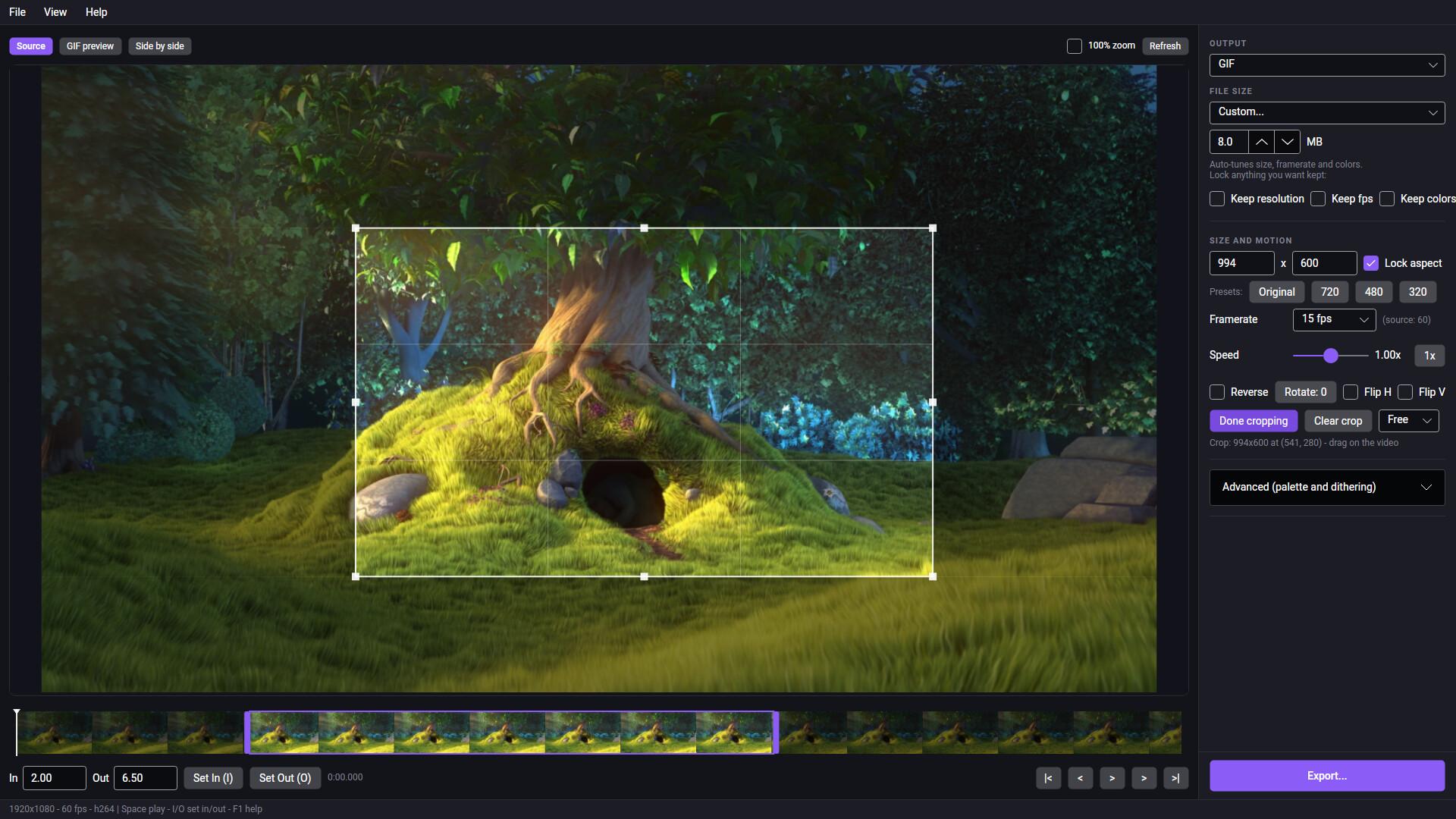
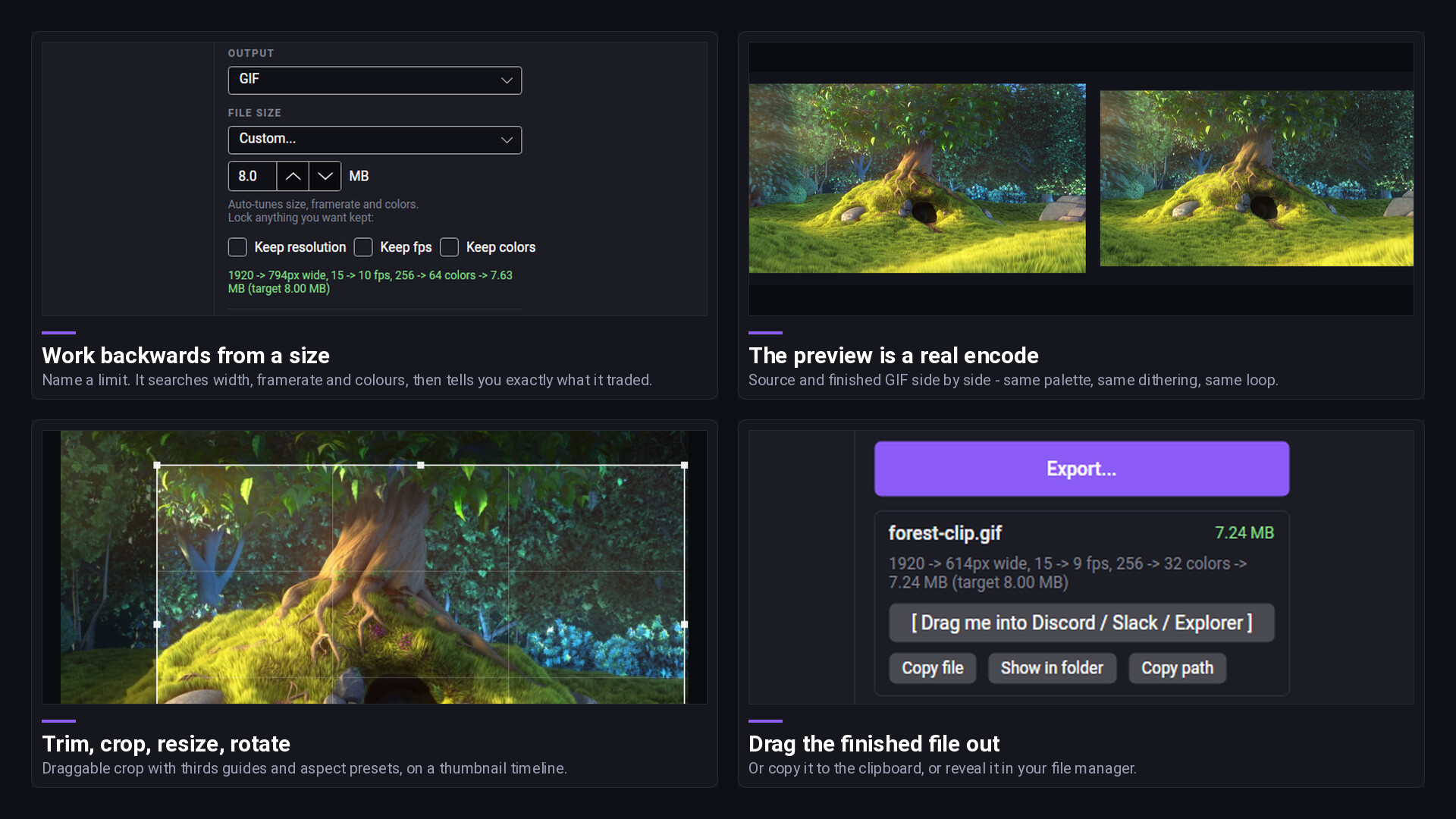
Simple GIF & WebP Maker converts video files into GIFs and animated WebP files. It's a desktop application for Windows and SteamOS,The two things it does that a plain converter doesn't: work backwards from a file size limit, and show you a preview that's a real encode instead of an approximation.SIZE TARGETSSet a maximum file size and the app looks for the best-looking file that fits under it. It encodes and measures real files as it searches instead of estimating from a formula, and it tells you what it changed: 960 -> 510px wide, 24 -> 14 fps, 256 -> 96 colors -> 8.50 MB (target 10.0 MB) Animated WebP has no palette, so image quality is adjusted in its place: 960 -> 544px wide, 24 -> 15 fps, quality 75 -> 49 -> 1.72 MB (target 2.00 MB) If the current settings already fit, nothing is changed: No compromises needed -> 1.54 MB (target 10.0 MB)Presets cover the usual upload limits, and a custom target takes anything from 0.1 MB to 5000 MB. Three checkboxes - Keep resolution, Keep fps, Keep colors and pin whichever settings you don't want touched, and the search works round whatever is left.The size shown at the end is the finished file measured on disk. On selections longer than about eight seconds, the search's intermediate passes estimate from three sampled windows instead of encoding the whole clip every time, but the final encode is always measured. If a clip can't reach the target even at the lowest settings the search will go to, the app says so and suggests trimming instead of handing you a file that's over the limit. Getting a ten-second clip under 10 MB takes about twenty seconds on an eight-core desktop. Clips that already fit export in a second or two.PREVIEWThe preview pane encodes a GIF at the current settings and plays it, with the same palette, dithering and loop behavior the exported file will have. Frame delays below two centiseconds are clamped to 100 ms, matching how browsers display them.The preview updates as settings change. Automatic refresh can be turned off.A side-by-side view shows the source and the encoded result together.A 100% zoom toggle shows dithering at actual pixel scale.Long selections are previewed in part and marked as partial.The preview always encodes GIF. If you're exporting animated WebP it's still accurate for framing, timing and cropping, but it isn't byte-exact, and a WebP size target gets worked out during the export rather than in the preview.INPUT AND OUTPUTInput: MP4, MOV, MKV, WebM, AVI, WMV, M4V, MPG, MPEG and GIF. You can open a GIF as well, to re-encode one you already have at a smaller size. H.264, HEVC, AV1, VP8, VP9, ProRes, MJPEG, FFV1, MPEG-1/2/4, WMV and raw video all decode, including 4K, anamorphic, rotated, variable-framerate and single-frame sources.Output: GIF and animated WebP. Neither format carries audio, so sound is dropped.EDITINGTrim on a thumbnail timeline with draggable in and out handles, scrubbable playhead, and frame stepping.Crop with a draggable rectangle, eight handles, thirds guides, and free / 1:1 / 16:9 / 4:3 aspect presets.Resize with Original / 720 / 480 / 320 presets, an aspect lock, or typed dimensions from 16 to 7680 px.Speed from 0.25x to 4x, with the framerate remapped rather than frames dropped.Reverse, rotate in 90-degree steps, flip horizontally or vertically.Framerate of 8, 10, 12, 15, 18, 20, 24, 25, 30 or 50 fps. GIF is capped at 50: above that, its centisecond frame delays round to values browsers clamp to 100 ms, which changes the playback speed of the result.Loop forever, once, or a set number of times, written into the file's own loop field.Keyboard shortcuts cover playback and trimming: space to play or pause, I and O to set the in and out points, arrows to step a frame, shift-arrows to jump a second, Home and End to jump to the trim points, Z for 100% zoom, Ctrl+O to open, Ctrl+E to export, F1 for the full list.GIF PALETTE AND DITHERINGGIF encoding is two-pass: it builds a palette from your actual footage and then applies it, rather than quantizing in one pass. Only the changed rectangle of each frame is re-quantized.Under Advanced you can set the palette mode to automatic per-scene, a single palette for a smaller file, or per-frame for the best quality; dithering to Sierra, Floyd-Steinberg, Bayer with a pattern scale you pick, or none; and the color count anywhere from 2 to 256. These are GIF controls only - animated WebP doesn't use a palette.Defaults are 15 fps, Sierra dithering, automatic palette and 256 colors. Advanced options stay collapsed until opened.AFTER EXPORTYou can drag the finished file straight out of the export box into another application, copy it to the clipboard as a file, show it in a file manager, or just copy its path.Drag-out works on Windows and Linux. On Linux, whether another application accepts the drag depends on your desktop session, and it isn't guaranteed under Wayland - copying the file or showing it in a file manager works either way. Copying falls back to copying the path as text if the clipboard can't carry a file, and on X11 a copied file only stays available after you close the app if you're running a clipboard manager. LOCAL PROCESSINGThe application makes no network connections. There is no telemetry, no analytics, no crash reporting, no account and no online activation, and exported files carry no watermark.Preview and search encodes go to the system temp folder (%TEMP%\SimpleGifMaker on Windows, XDG_RUNTIME_DIR or /tmp on Linux), and old ones get cleared out at startup once they're more than 24 hours old. The export writes a .sgm-partial file next to your chosen output and renames it into place when it finishes, so a failed or cancelled export won't leave a half-written file behind.
Из Steam
Скриншоты
Перед запуском
Подойдёт ли мне
- Русский текст
- Нет подтверждённых данных
- Русская озвучка
- Не отмечена в полученных данных
- Кооператив
- Нет подтверждённых данных
- Число игроков
- Магазин не указал точное число
- Одиночная игра
- Нет подтверждённых данных
- Геймпад
- Нет подтверждённых данных
- Прохождение
- Время пока неизвестно
Игроки Steam
Что говорят сейчас
Проверено 14.10.2026 12:23 UTC. Данные давно не обновлялись.
Слишком мало свежих отзывов для вывода о тенденции.
Naturally haven't used it much but I can testify that it has worked for some .mkv files I needed to…
Отзыв · рекомендует
Почему игра в ленте
- Сейчас нет действующего сигнала.
Значимые обновления
Динамика цены и онлайна
Моя добыча
Проверенные предложения
Промокоды
Выбор по ситуации
Подборки
Каталог Looted